
If an individual encounters one of the following issues when running a Sample Screening:
- A student says the screening information does not belong to them,
- The screening is rerun, but the report remains in Pending status and never completes, or
- Multiple instructors experience the same issue when attempting to re-run the report,
Then, it is likely that a Pacific Screening report has already been generated for the student on the platform within the previous six months. For example, they received a report through the eCourse in May, but now in June started an in-person class. OR, an instructor or multiple instructors at a singular agency have attended to re-run the report for the same class. The screening portal prevents duplicate reports from being automatically generated during a six-month period. Thus, the second report is requested, the system may remain in a Pending state because it is attempting to reference the original report instead of creating a new one.
If a student believes information on their screening does not belong to them:
- Do not continue submitting additional screening requests.
- Contact Rent Well Support.
- Support will:
- Verify whether a screening was completed within the last 6 months.
- Force delete the original report from the Rent Well system (this does not affect the already-paid invoice).
- Push the new screening request through so a fresh report can be generated.
Once the replacement report is available, notify the student to review it carefully.
If the student still sees information that does not belong to them, they should select:
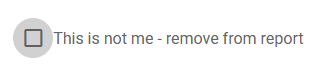
This option hides the incorrect information from the view on this sample screen.